Research-led navigation redesign for Supersklep, a multi-brand store selling sneakers, clothing, skateboard and snowboard gear in 9 countries.
Role
Product Designer
Team
Product Designer, PO, 1 developer, 1 QA tester
Year
2022
Impact
Time on task 22 → 12 sec
Problem
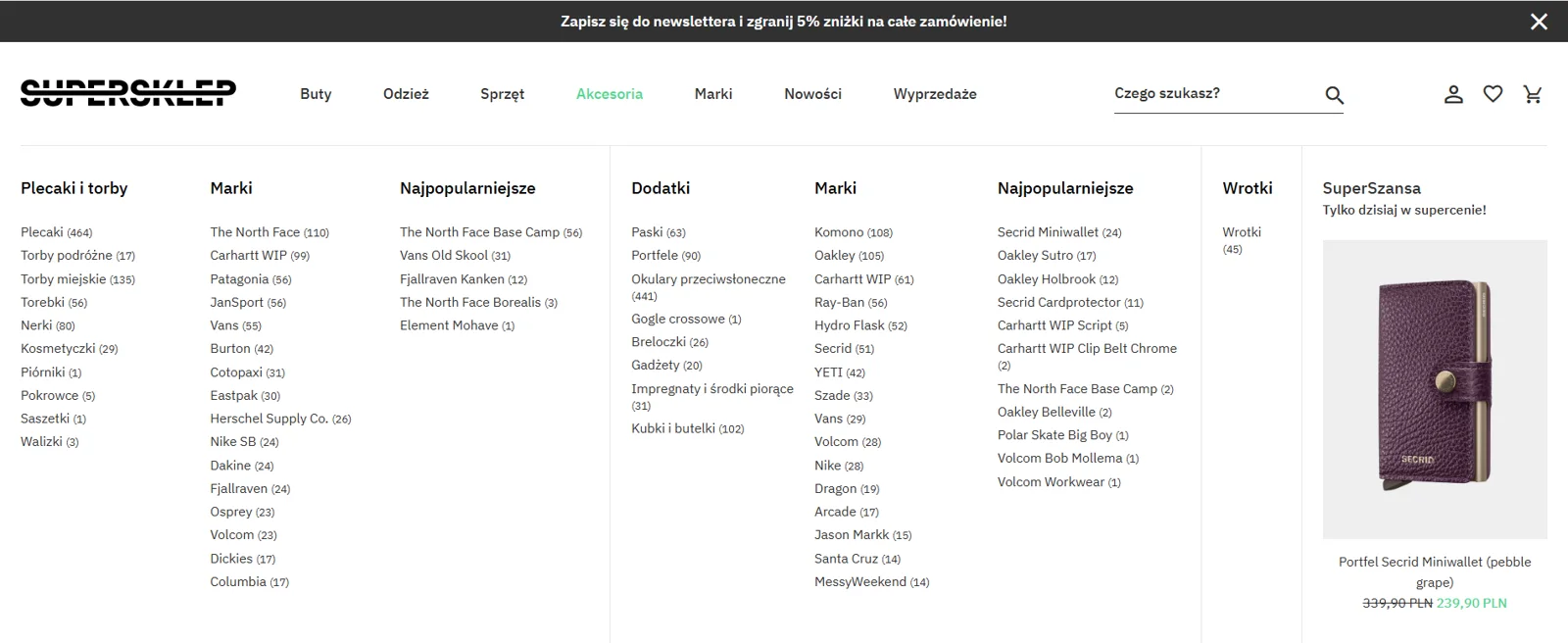
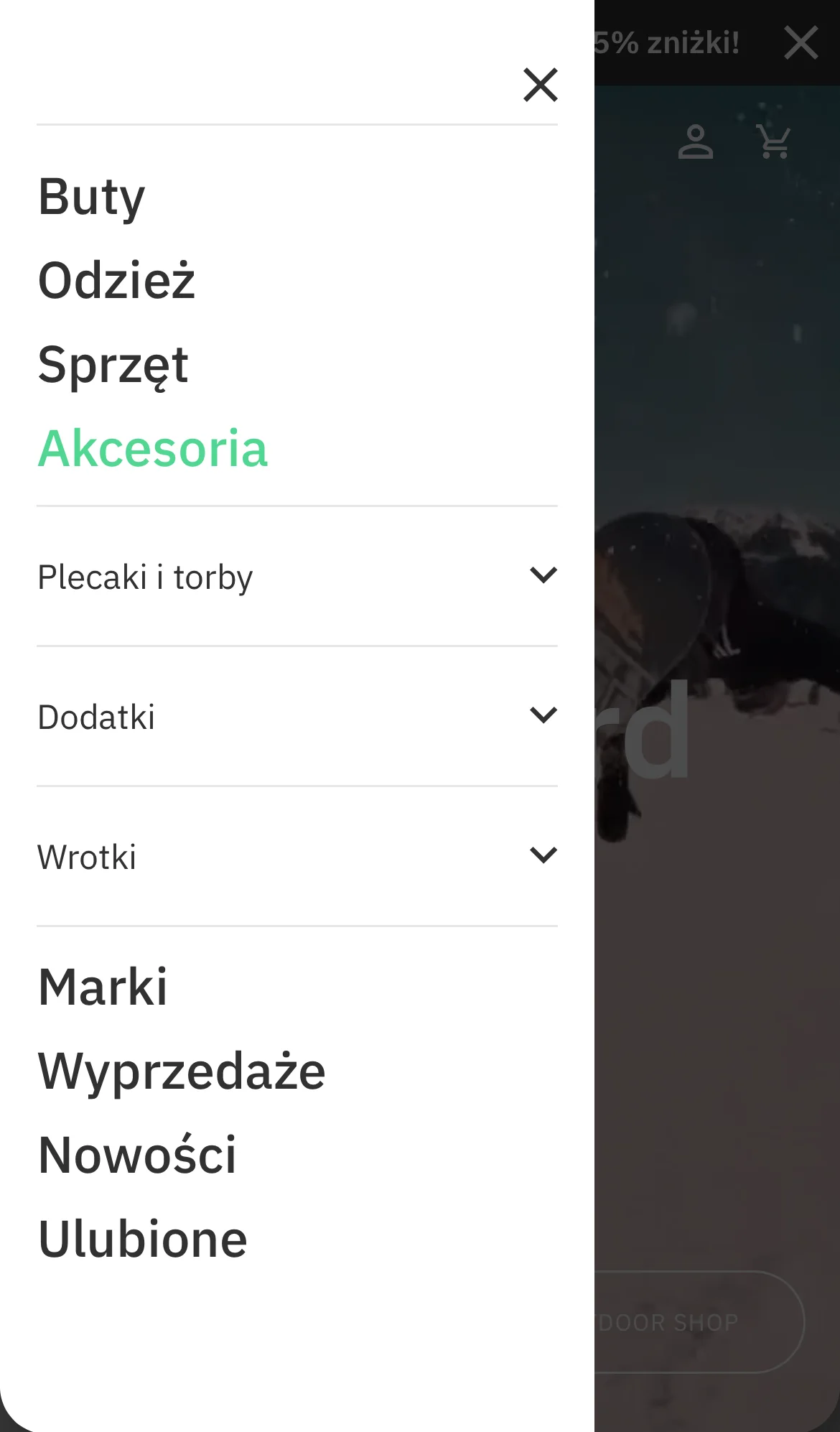
A complex menu with repeated categories. Users couldn’t find products, so they used search or left. Super Chance deals weren’t shown on mobile at all.
What I did
Combined a stakeholder interview, competitor benchmarks, a Hotjar survey of 966 people and 20+ session recordings into a new structure, then tested old vs. new.
Result
22 → 12 sec
average time on task, with task success rate up from 80% to 94%.
Before
The old menu on desktop and mobile
Desktop: a dense mega-menu with repeated brand and best-seller listsMobile: no Super Chance at all
Stakeholder interview
Business insights that shaped the structure
Insight
Women make up less than 5% of customers.
Decision
No split into women’s and men’s menus; gender stays a filter.
Insight
There are 3 types of customers: skateboard, snowboard and urban.
Decision
Separate Skateboard and Snowboard categories instead of one “Equipment”.
Insight
Brand collaborations needed their own place.
Decision
A new “Collaborations” category.
Information architecture
9 languages decided where the menu lives
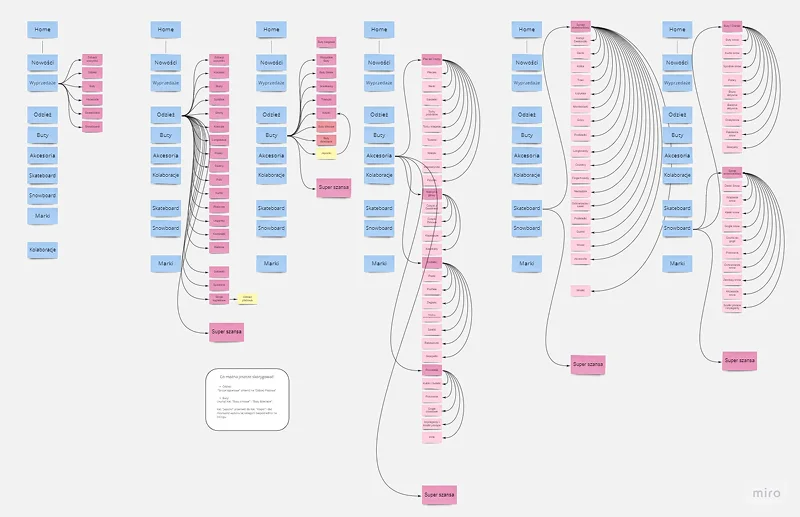
New categories in longer languages such as Romanian wouldn’t fit in a top bar, so the menu moved to a left-side panel. I mapped the structure in Miro and benchmarked against SkateDeluxe, Blue Tomato and SportPlanet.
Option we rejected
Keep the top menu and cut the number of items
It would keep the familiar layout, but some product worlds would disappear from view.
What we chose and why
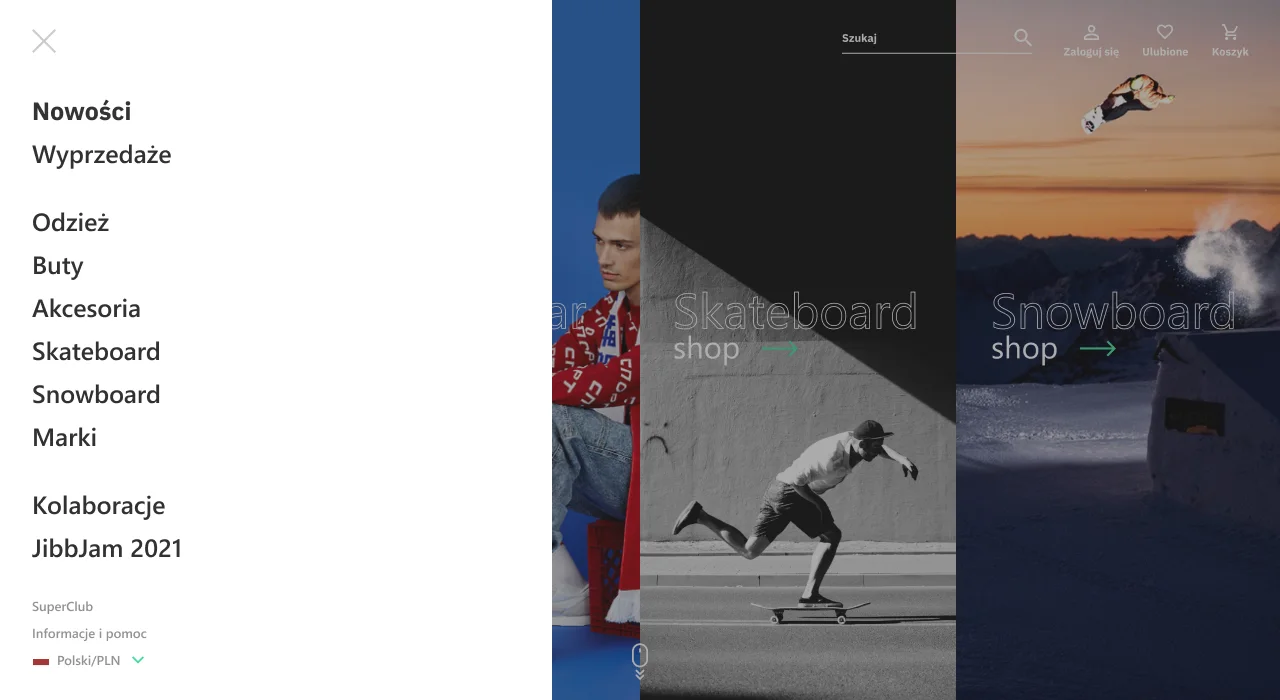
A left-side panel with every category
Showing all categories, including Skateboard and Snowboard, was essential for the business, and the panel fits them in all 9 languages.
The new structure, category by category
Survey in Hotjar
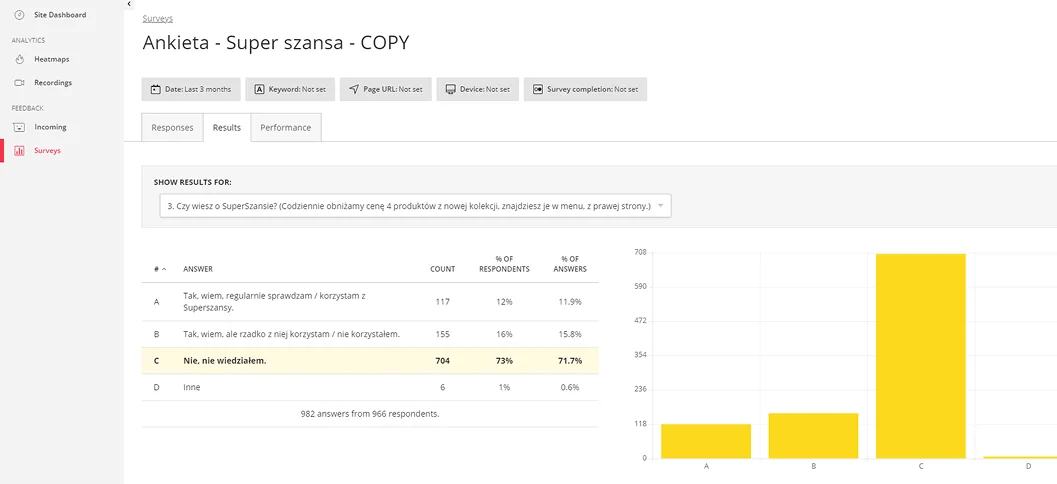
A daily deal almost nobody saw
73%
of 966 respondents didn’t know about Super Chance, a daily discount on 4 new products
Decision 1
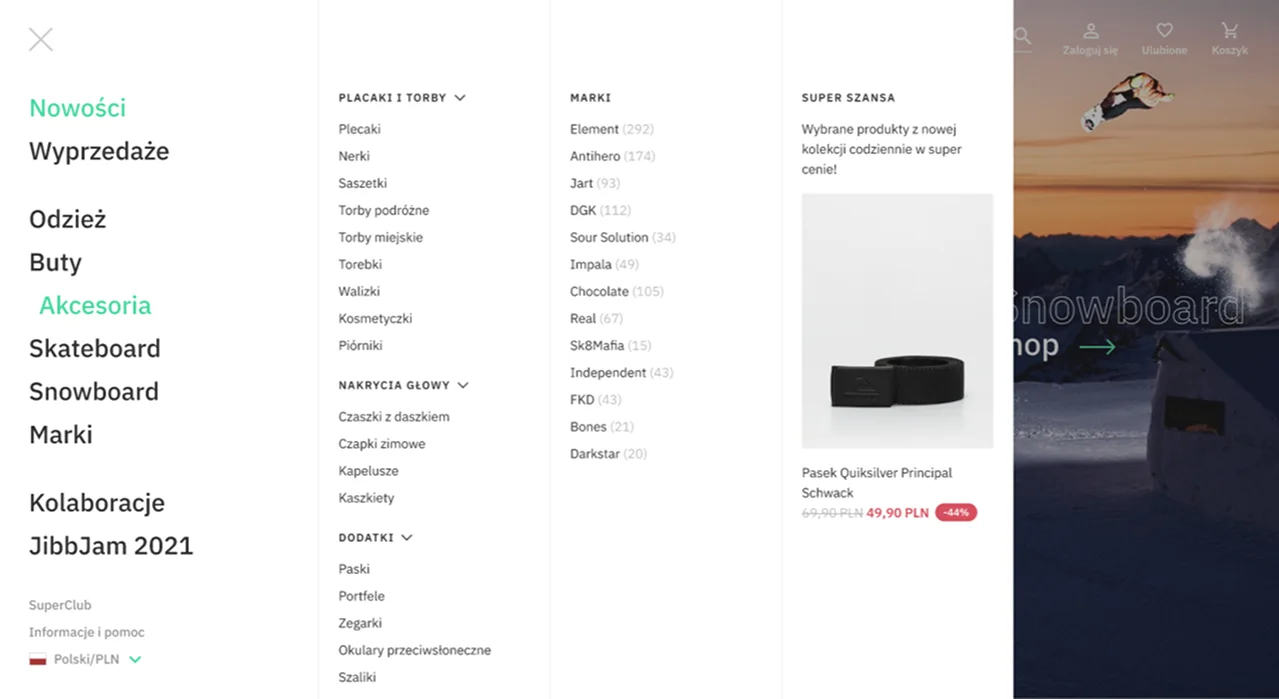
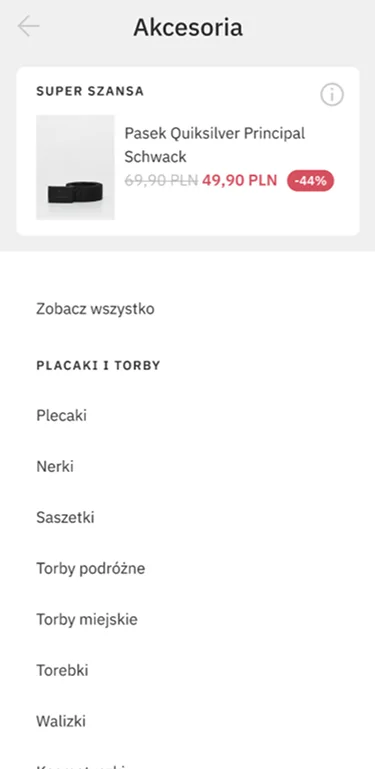
Show Super Chance in every category, on desktop and mobile
Decision 2
Announce each day’s deal in Instagram Stories
Survey results in Hotjar
Hotjar recordings
Users looked for help in the menu
In 20+ session recordings, users often opened the menu looking for returns and support contacts. I added an “Information and Help” link to the menu on desktop and mobile.
Solution
A clear structure on desktop and mobile
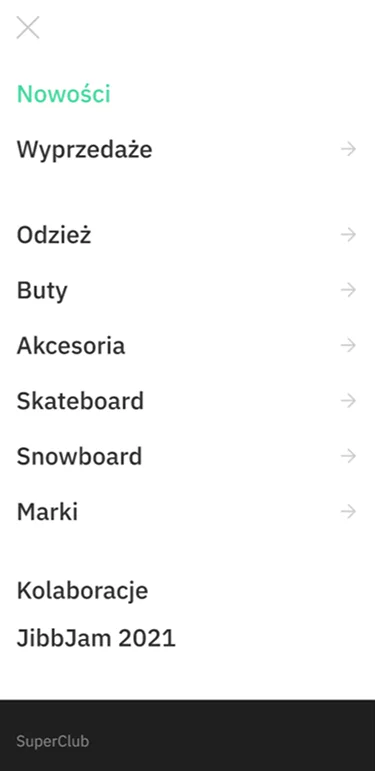
Left-side menu with the new categories and “Information and Help”Mobile menu
Super Chance inside every categoryNow on mobile too
Usability testing
Measured before and after the redesign
I ran usability tests before and after the redesign with the same task scenario, measuring time on task and task success rate.
22 → 12 sec
average time on task, almost twice as fast
80 → 94%
task success rate
Less search
users relied on the search bar less often and didn’t get lost in the menu